
Photo Recover - Easy Restore
Lazy ProjectTools
3.853.00 Reviews
- Version
- 1.1
- Installs
- 100.00K
- Age Rating
- Everyone
Screenshots
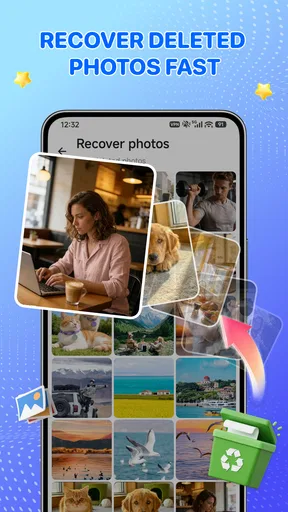
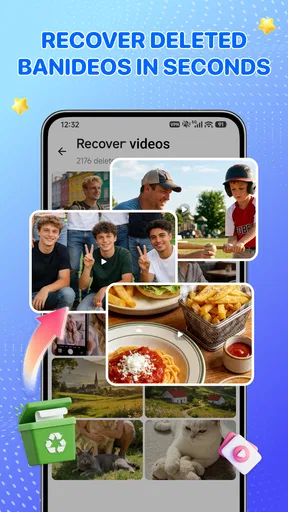
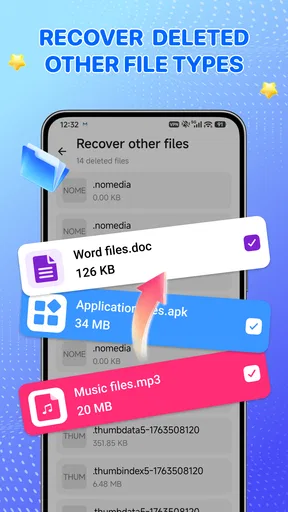
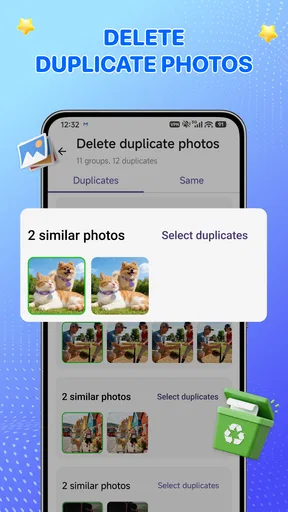
Our Review of Photo Recover - Easy Restore
 Analysis by Appyee
Deleting the wrong photo is one of those small mistakes that can become surprisingly stressful, especially when several people use the same phone or tablet. Photo Recover - Easy Restore is a free tools app from Lazy Project that focuses on one clear job: helping you look for deleted photos and videos through local processing. I tested it with the mindset of an everyday household user rather than someone managing a large archive, and my impression is that its value comes from being direct and privacy-conscious rather than overloaded with extra options.
The app has reached over one hundred thousand installs and holds a 3.8 average from around three hundred fifty ratings. That places it in the useful-but-not-universally-loved range: enough people have tried it to show that the idea is practical, while the score also suggests that recovery results and device conditions will matter. It is rated for Everyone, works on Android 8.0 and later, and its current version is 1.1. Those details make it approachable for older household devices as well as newer phones.
How Photo Recover fits into a shared household
The most realistic use case is not a dramatic data-loss emergency. It is a shared-device moment. Someone takes pictures at a birthday, a child borrows the family phone, or one person clears storage without realizing that another person still wanted a video. Later, everyone starts asking who deleted what and whether it can be brought back. In that situation, a focused recovery tool is easier to understand than a full backup system.
I would open the app on the device where the deletion happened, let it inspect what remains available, and review the results before touching anything else. That order matters. If the phone is shared, I would first ask the other users to stop taking new photos or downloading large files until the search is complete. New activity can make recovery less predictable, so the best household habit is to treat the phone gently after an accidental deletion.
The local-processing approach is particularly relevant here. Photos from a family event, scans of personal documents, school projects, and private videos stay within the device-focused workflow instead of immediately becoming part of an online transfer. I appreciate that distinction because a recovery app is often used at an emotional moment, when people may accept broad access or upload steps without thinking carefully.
Still, local processing should not be confused with a guaranteed rescue. The app can search for recoverable material, but it cannot reverse every deletion or repair every damaged file. If a file has already been overwritten, removed by a cleaning process, or lost through a serious storage problem, the result may be incomplete. That is the main expectation I would set before recommending it to a friend.
What I would do immediately after an accidental deletion
My first step would be to stop creating new content on the device. I would not record another video, install several unrelated apps, or run a storage cleaner while deciding what to do. Then I would use Photo Recover - Easy Restore to scan and inspect the available results. The important part is not simply pressing a recovery button; it is checking thumbnails and filenames carefully so that the restored copy is the one the household actually wants.
For a shared phone, I would also write down whose files are being recovered. That sounds unnecessary until a scan shows a mixture of school images, work screenshots, family pictures, and downloads from different users. A quick note such as “the beach video from Saturday” prevents the wrong person from saving or sharing a file by mistake.
There is another useful habit: recover the most important items first. If the app presents many matches, I would prioritize irreplaceable photos and short videos instead of restoring every duplicate. This reduces clutter and makes it easier to verify the result. It also avoids turning a simple mistake into a second problem where the storage fills again with unclear copies.
Setup on a phone used by more than one person
Because this is a recovery utility rather than a household account manager, the boundaries come from the device and the people using it. I would not assume that installing it creates separate profiles, family permissions, or automatic separation between users. If a phone is shared, anyone who can open the app may encounter recoverable media belonging to someone else.
That makes the first setup conversation more important than the installation itself. I would tell the household what the app is for, who is allowed to run a scan, and where recovered files should be saved or reviewed. On a personal phone, this is simple. On a family tablet or an older spare phone passed between relatives, it deserves a clear agreement.
The Everyone age rating makes the app broadly suitable from a store-classification perspective, but that does not remove the need for supervision. Deleted media can include private conversations, personal images, identity documents, or material that a younger user should not handle alone. I would let a child ask an adult to perform the recovery rather than treating the age rating as permission to browse every result independently.
I also prefer using the app only when there is a specific recovery need. Leaving any utility open on a shared device invites curiosity and accidental changes. Once the needed files have been checked and safely copied, I would close the session and return the device to its normal use. That simple boundary is more dependable than expecting the app to know which household member owns each image.
Privacy, trust, and local handling
The local nature of the processing is the strongest reason I would consider this app before an unfamiliar online recovery service. A cloud-based alternative may be useful when files are already backed up, but uploading personal media just to search for deleted items can create an extra privacy decision. Here, the appeal is that the search is designed around the device itself.
That advantage does not mean the app should be used casually on someone else’s phone. Local access is still access to the phone’s stored media. If I were helping a relative, I would ask them to stay present while I worked, explain what I was looking for, and avoid opening unrelated recovered files. Trust is maintained through behavior, not just through the technical location of processing.
For a household, I would also avoid passing around recovered files through random messaging threads. I would first confirm the correct recipient and use the normal trusted method already agreed upon by the family. The recovery tool’s job is to locate and restore useful media; deciding who should receive it remains a human responsibility.
One subtle benefit of this approach is that it can reduce panic. When people know the search happens locally, they may feel more comfortable checking a device promptly instead of waiting until the deletion becomes harder to address. Prompt action is valuable, but I would still keep the promise modest: the app improves the chance of finding something recoverable; it does not turn every deletion into a successful restoration.
Working with photos versus videos
Photos and videos should not be treated as identical recovery targets. A photo is usually easier to inspect quickly, while a video may be larger, slower to review, and more difficult to distinguish from a duplicate. In my workflow, I would start with the most recognizable images, then check important videos one by one rather than selecting a large group without looking.
This is especially useful after a family gathering. Suppose one person deleted a folder while trying to clear screenshots. The scan may produce a mixture of screenshots, camera images, downloaded pictures, and clips. I would use visible details such as the scene, orientation, and approximate event context to identify the right items. The app may find candidates, but the household still needs to curate them.
Another practical tip is to compare the recovered result with any copy that may already exist elsewhere on the device. A messaging app, a shared album, or a previous transfer might contain a usable version. If the original quality is important, the recovery result may be preferable; if speed matters more, an existing duplicate could be the simpler answer. Photo Recover is most valuable when it saves you from accepting a poorer substitute.
I would be cautious with sensitive videos in particular. A thumbnail can reveal more than expected, and a shared device may be visible to people nearby. Reviewing results in a private setting is sensible, even though the app is intended for general use and carries an Everyone rating.
How it compares with the usual alternatives
The most important alternative is a backup service. If a photo was already synchronized or copied safely, restoring it from that backup is usually more predictable and better for long-term protection. Backup tools also help with device replacement, not just accidental deletion. Photo Recover - Easy Restore is better viewed as a first response when the needed item is no longer easy to find in the usual gallery or backup locations.
A file manager can sometimes reveal recently removed material or folders that a gallery no longer displays, but that approach requires more patience and technical understanding. It is useful for someone who knows how the device stores media. This app is more approachable for a relative who wants a focused search instead of navigating folders and file names.
Online recovery services may offer broader workflows, but they can involve uploading private content and trusting another company with it. For family photos or personal videos, I prefer beginning with the local option. On the other hand, if the phone has suffered physical storage failure, a specialist recovery service may be more appropriate than any ordinary app. That is a situation where convenience should not be mistaken for professional repair.
The free price is another practical advantage. It makes the app easy to try before deciding whether a separate backup habit or paid technical help is necessary. I would still judge it by the actual files it can locate, not by the fact that there is no purchase barrier. Free access is helpful, but it cannot compensate for a file that has already disappeared beyond the device’s recoverable storage.
Where the experience can become frustrating
The biggest friction is uncertainty. A recovery screen can create hope before you know whether the result is complete, readable, or the correct version. I would not install the app expecting a neat timeline of every deleted item. The practical experience depends on what remains on the device and how much activity occurred after deletion.
Shared-device clutter can make that uncertainty worse. When several people use one phone, a result list may contain media from different owners and different periods. The app can help locate files, but it does not replace household organization. If your family regularly mixes accounts, folders, and downloads, you may spend more time identifying ownership than performing the recovery itself.
There is also a trade-off between privacy and convenience. Local handling is reassuring, but it means the work is tied to the device in your hands. If the phone is unavailable, damaged, or already reset, an online backup may be more useful. I would choose the tool according to the problem rather than assuming one recovery method is always superior.
The current version is 1.1, so I would keep expectations grounded and check the app’s behavior on the particular device before relying on it for a major incident. Android 8.0 compatibility is helpful for older phones, but hardware, storage condition, and the phone’s own file-management behavior can still affect the outcome.
Who should use it, and who should skip it
I think this app suits someone who has just deleted a small set of photos or videos and wants a straightforward, privacy-minded attempt at recovery. It is also a reasonable household tool when one person is comfortable taking responsibility for the search and explaining the process to everyone else. The free cost lowers the risk of trying it during an ordinary mistake.
I would recommend it less enthusiastically to a person who needs guaranteed archival protection. In that case, a regular backup routine is the better foundation. I would also skip it as the first choice for a phone with serious physical damage, a device that has been reset, or a situation involving legally important evidence. Those cases need a more controlled process and possibly professional assistance.
Children can benefit indirectly from it when an adult handles the recovery, but I would not use it as a way to browse another family member’s deleted media. The Everyone rating describes general content suitability; it does not create permission to inspect private files. On a shared tablet, I would make the recovery process an adult-led task with the owner’s consent.
For older relatives, the app’s focused purpose may be easier than a complicated backup dashboard. I would still sit with them the first time, identify the correct media together, and explain that recovered files should be checked before deleting anything else. That small amount of coordination prevents the app from becoming another source of confusion.
My household verdict
After looking at it as a shared-device utility, I see Photo Recover - Easy Restore as a sensible emergency drawer rather than a complete photo-safety system. Its local-processing focus gives it a meaningful privacy advantage, and its free availability makes a cautious trial easy. Lazy Project has kept the concept centered on the immediate problem instead of turning it into a broad media-management suite.
My advice is to use it promptly, stop unnecessary activity on the affected device, review results with the file owner, and recover only what you can identify confidently. Keep the phone’s users informed, especially when personal media is involved. If the app finds what was lost, it can turn a tense household moment into a manageable one; if it does not, that is a reminder to establish reliable backups rather than evidence that every recovery app has failed.
My final recommendation: try it for accidental photo or video deletion when local handling matters and the device is still working normally. I would not make it the only protection for important memories, but I would keep it in mind as a practical first attempt. For a household that understands its privacy boundaries and acts quickly, it offers a useful middle ground between searching folders manually and sending personal media to an online recovery service.
Verdict
Strengths of Photo Recover - Easy Restore
- Simple interface makes recovery tools easy to navigate.
- Can restore accidentally deleted photos without technical knowledge.
- Useful preview feature helps identify files before recovery.
- Supports quick searches through recently deleted media.
- Helpful for recovering pictures removed by mistake.
Limitations of Photo Recover - Easy Restore
- Recovery results depend heavily on whether deleted data was overwritten.
- Some features may require in-app purchases or a subscription.
- Recovered images may have reduced quality or missing metadata.
- Scanning can take time when searching large amounts of storage.
- Privacy permissions may feel extensive for users concerned about media access.
Similar Picks in This Category
View All
Google LLC4.0

Gboard - the Google Keyboard
Google LLC4.5

Google Play services
Google LLC4.3

Google Play Store
Google LLC4.9

Files by Google
Google LLC4.5

SHAREit: Transfer, Share Files
Smart Media4U Technology Pte.Ltd.4.3
Frequently Asked Questions
What is Photo Recover - Easy Restore, and what can it recover?
Photo Recover - Easy Restore is designed to help users find and restore deleted or missing photos stored on an Android device. Depending on the device, storage system, and how long ago the files were removed, it may locate recoverable images in internal storage, folders, or removable media. It cannot guarantee recovery of every file, especially when deleted data has already been overwritten.
Does Photo Recover - Easy Restore require root access?
The app may offer basic scanning without root access, which is more convenient for most users but can limit how deeply it searches the device. On some Android phones, advanced recovery features may require root permissions or additional access to storage. Before downloading, check the app’s current requirements and understand that rooting can affect security, stability, warranty coverage, and access to certain banking or protected applications.
Can Photo Recover - Easy Restore restore photos permanently deleted from the phone?
It may recover photos that still remain in unused storage space, but successful restoration is not guaranteed. Once a photo is deleted, new downloads, camera shots, app updates, and other files can overwrite its data. For the best chance of recovery, stop using the affected storage immediately, avoid installing unnecessary applications, and save recovered images to a different location whenever the app allows that option.
Is Photo Recover - Easy Restore safe to use, and what permissions does it need?
Recovery applications normally need access to photos, media, and device storage so they can scan folders and identify image files. You should review the permission requests carefully and download the app only from a trusted store or official source. Avoid granting unrelated permissions, such as contacts or microphone access, unless they are clearly explained. Also review the privacy policy before scanning personal photographs.
Is Photo Recover - Easy Restore free, or does it include paid features?
The app’s pricing can vary by version, region, and platform. A free installation may include basic scanning, previews, advertisements, or limits on the number of files that can be restored, while advanced recovery tools may require an in-app purchase or subscription. Check the store listing for the latest details, including trial terms, recurring billing, refund conditions, and whether payment is required before exporting recovered photos.
